RAWFetcher helps you “pre‑sort” quickly using lightweight analyses and practical filters — designed to spend
less time on rejects.
Sharpness analysis
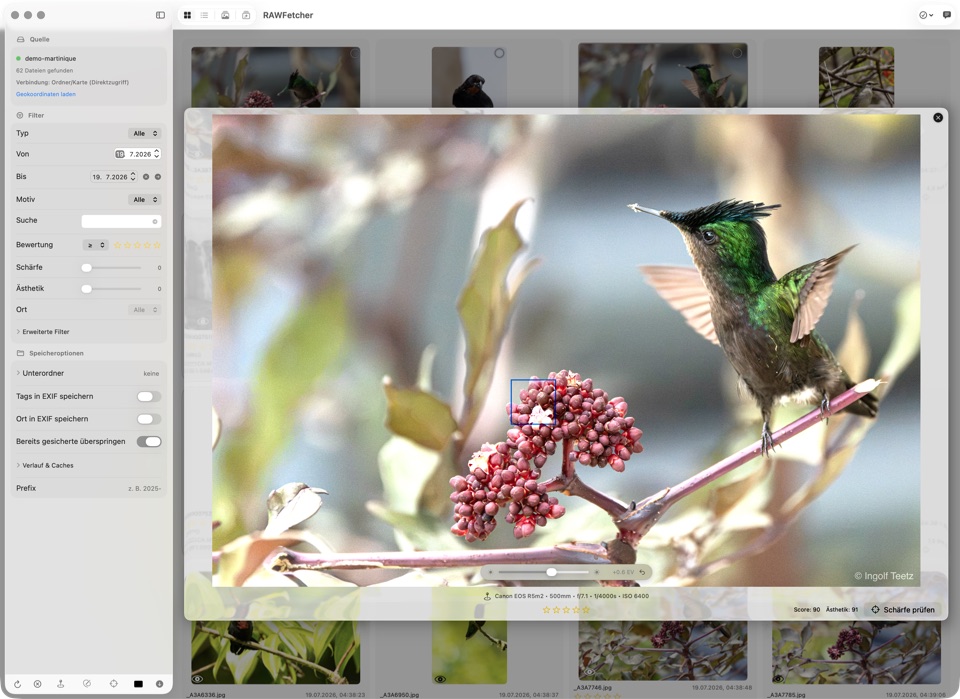
Automatic sharpness scoring per image. The analysis combines multiple signals (e.g. Laplacian variance,
Tenengrad energy and a high‑frequency proxy), identifies the sharpest region and marks it in the preview.
An additional aesthetics score (Apple Vision) rates composition and visual impact — both are available
as filters.
Sharpness score
Sharpest spot
Aesthetics score
Subject detection
On demand, RAWFetcher assigns subject tags (e.g. people, animals, landscape). This makes it easy to
select images based on what’s in the frame.
Vision tags
Subject filters
Place resolution
If GPS data is present, RAWFetcher can resolve it to a human‑readable place name (reverse geocoding) —
useful for sorting and later cataloging. Smart caching reduces API requests for nearby locations.
GPS → place
Reverse geocoding
Smart caching
Burst mode
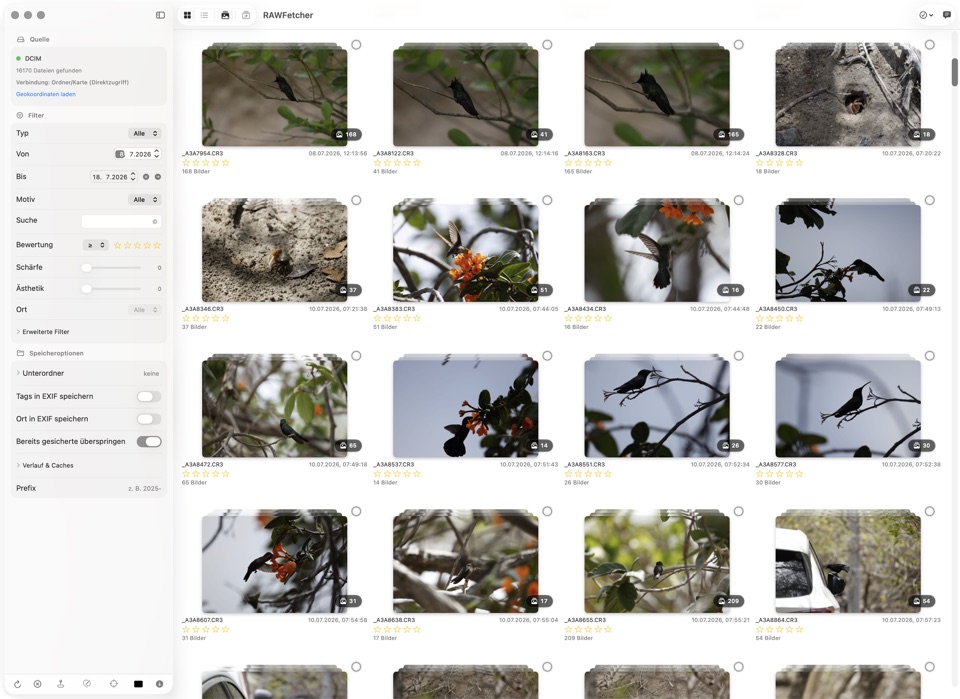
Burst sequences are detected automatically and shown as a calm stacked deck with a count badge —
expand, pick the best frame, done. Even 16,000 photos stay manageable; ratings can apply to the
whole stack.
Burst detection
Stack view
Shared rating
Batch processing
Analyze and process large sets of images at once: sharpness analysis, subject detection and place resolution
for all images simultaneously.
Batch analysis
Parallel processing
Smart geocaching
Place resolution uses smart caching: images within 500m and 5 minutes share the geocoding result. Reduces
API requests and speeds up processing.
Radius caching
Time window
Configurable
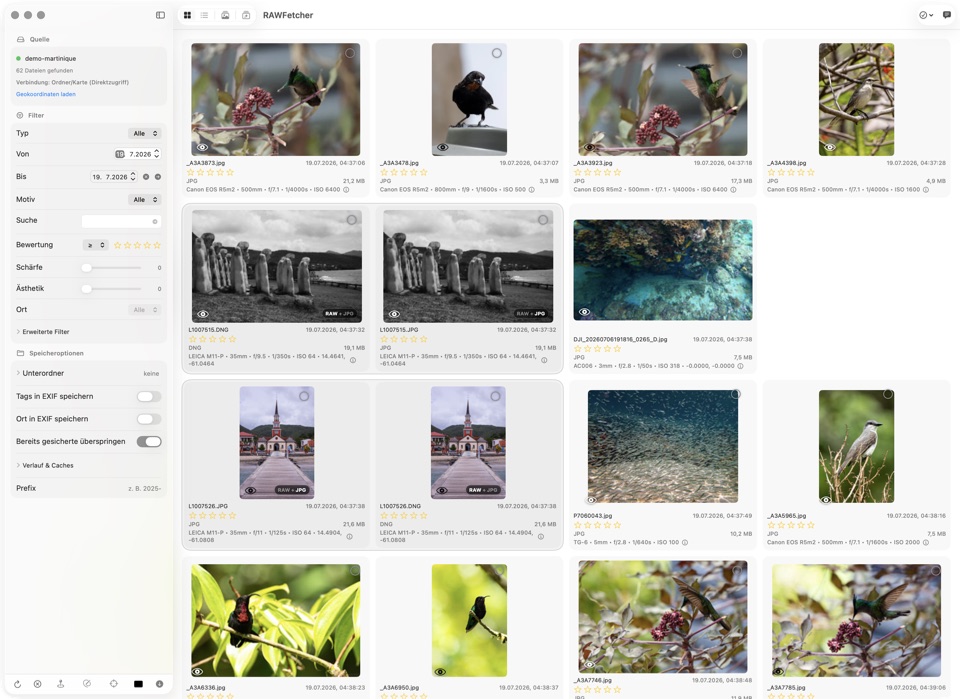
RAW+JPG pairs
When your camera records RAW and JPG together, RAWFetcher detects the siblings automatically and shows
them as a pair: shared frame in the grid, RAW+JPG badge in grid and list.
Automatic detection
Pair frame
Display exposure
Shot too dark or too bright? The exposure control in the preview (±3 stops) smoothly brightens or
darkens the view — for judging only, the image itself stays untouched.
±3 EV
GPU-smooth
Persistent caches
Previews, scores and analyses are remembered per image: insert the same card the next day and
everything is right there. If the card is unplugged, RAWFetcher reconnects automatically.
Analysis cache
Auto-reconnect
Filters & selection
Filter by file type, EXIF values, date, place, rating and minimum sharpness.
- RAW/JPEG
- Focal length • aperture • shutter
- Date/place/rating
- Sharpness & aesthetics score (AI)
- “Selected only” focus mode
Export & folder structure
Export exactly your selection and let RAWFetcher build folders by subject/date/type/place.
Optionally, tags/place can be written into EXIF.
- Custom folder order
- Filename prefix
- Optional: write tags/place to EXIF