1. First selection before creativity
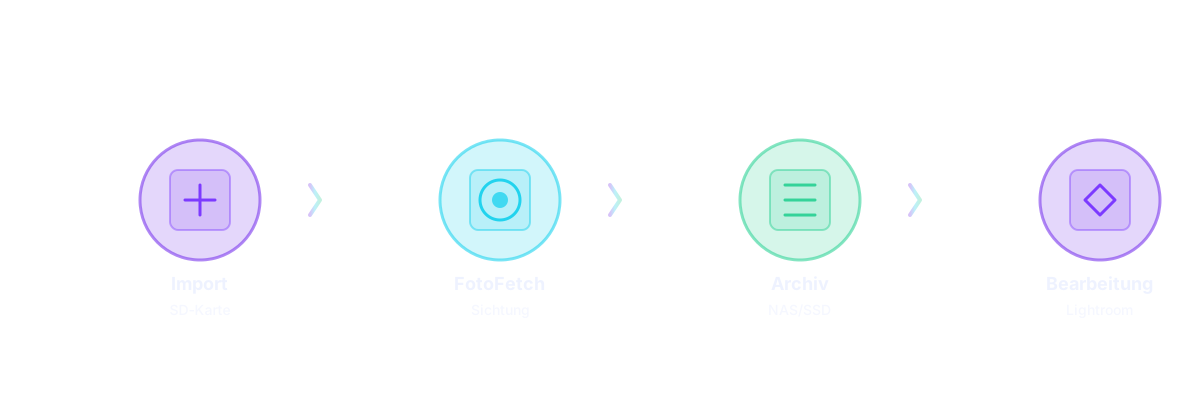
After importing my memory cards, I start RAWFetcher for a fast initial review — long before any photo editing software enters the picture. RAWFetcher is not about editing. It’s about deciding what deserves to exist.
I remove everything that is clearly unusable:
- out of focus
- motion blur
- false triggers
- empty bursts
This step alone saves enormous amounts of time later.
2. Clean RAW storage on NAS or external SSD
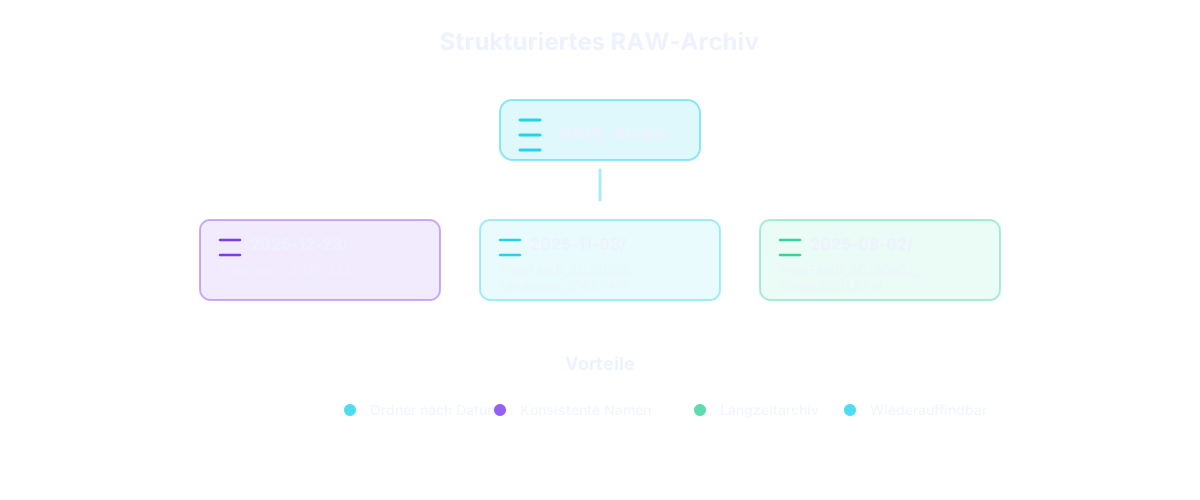
The remaining images are exported using RAWFetcher to my NAS or external SSD, which serves as my long‑term RAW archive. Two features are essential here:
📁 Date‑based folder structure
Images are automatically stored in folders by shooting date. Simple, clean, scalable.
🏷️ Consistent file renaming
No more cryptic camera filenames. Everything is structured, searchable and future‑proof.
3. Editing comes later – Lightroom or alternatives
Only after this cleanup do I move on to actual editing — often in Lightroom, but this works just as well with Capture One, Darktable or any other RAW editor.
The key benefit: I only work on images that matter.
4. Wildlife, landscape & a love for rangefinder photography
While I shoot a lot of wildlife and birds, I also use RAWFetcher for landscape photography, street photography and my quiet passion: shooting with a rangefinder camera from Germany 😉
🌍 Reverse geotagging
Not all cameras record GPS data. With reverse geotagging, I can later reconstruct locations, organize travel shoots and assign geographic context to my images. This is extremely useful for landscape, travel and documentary photography. Smart caching ensures that nearby shots within 500m and 5 minutes share the geocoding result – this significantly speeds up processing and reduces API requests.
📸 Burst mode – managing sequences intelligently
Wildlife photography often produces burst sequences. RAWFetcher automatically detects these and displays them as stacks. This lets me quickly navigate through bursts, pick the best frame, or rate entire sequences together – without flooding my archive with hundreds of similar images.
5. Why this workflow works
My photo workflow follows one simple rule: Reduce first. Create second.
RAWFetcher helps me:
- review photos quickly
- remove obvious rejects
- build a clean RAW archive
- prepare images for any editing software
Whether it's bird photography, wildlife photography, landscape work, or classic rangefinder shooting — the workflow stays the same. And that consistency makes all the difference.
6. Results from my workflow
The images created through this workflow can be found in my Flickr photostream. There you'll see a selection of my work – from wildlife and nature photography to landscape shots and street photography with the rangefinder camera. All these images have gone through the same workflow: First review and selection with RAWFetcher, then archiving, and finally creative editing.